A simple, easy-to-use
Stable system ensures smoothness
Audited by the market's top certification:Certik, Solidproof...
Steps to follow
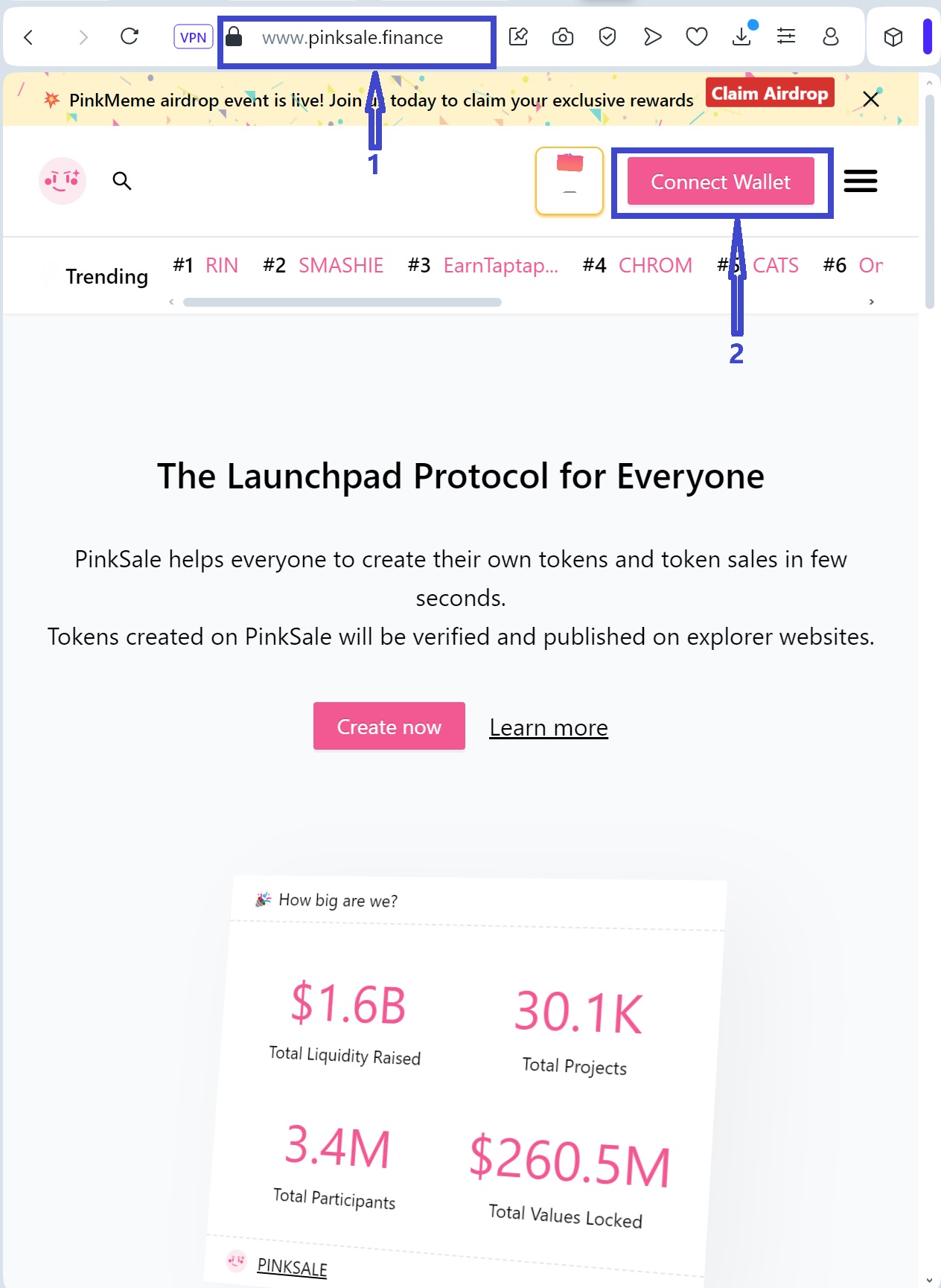
1. Open browser
Enter https://pinksale.finance. Then click "Connect Wallet"
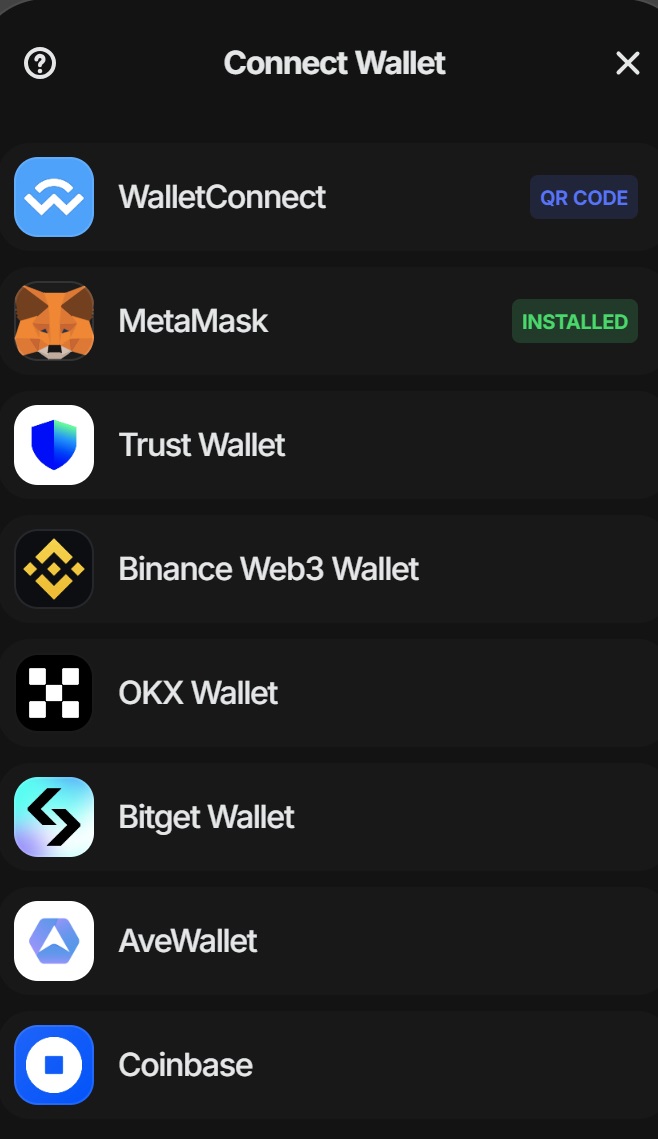
2. Connect your Owner Wallet
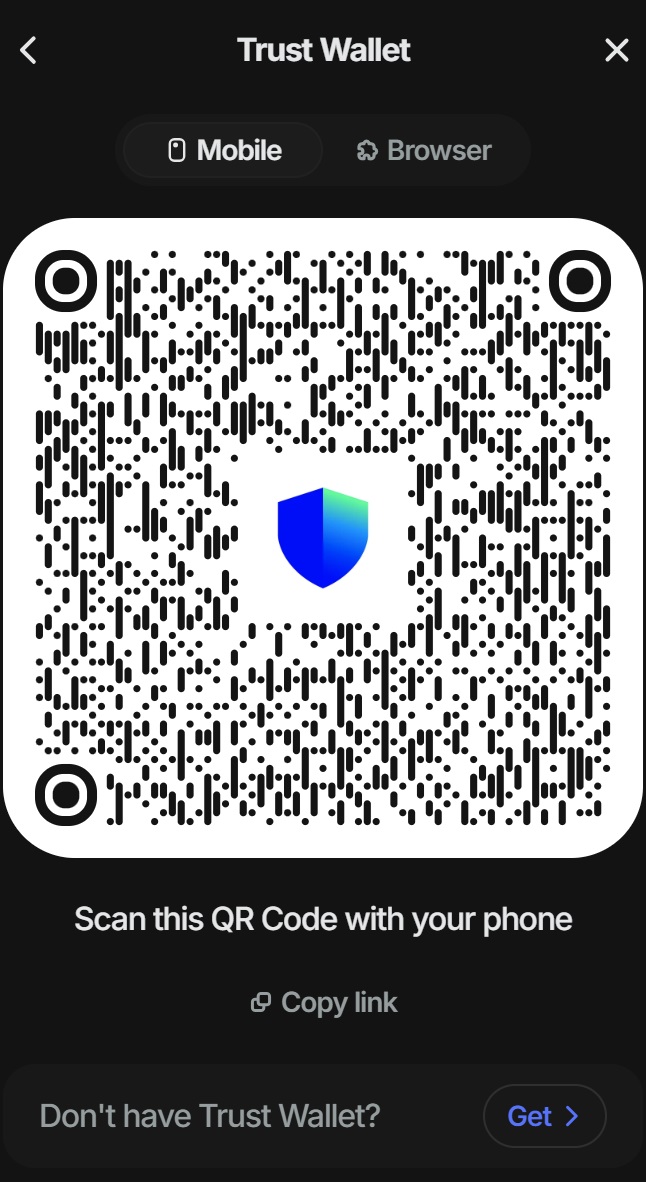
3. Scan QR code on Wallet
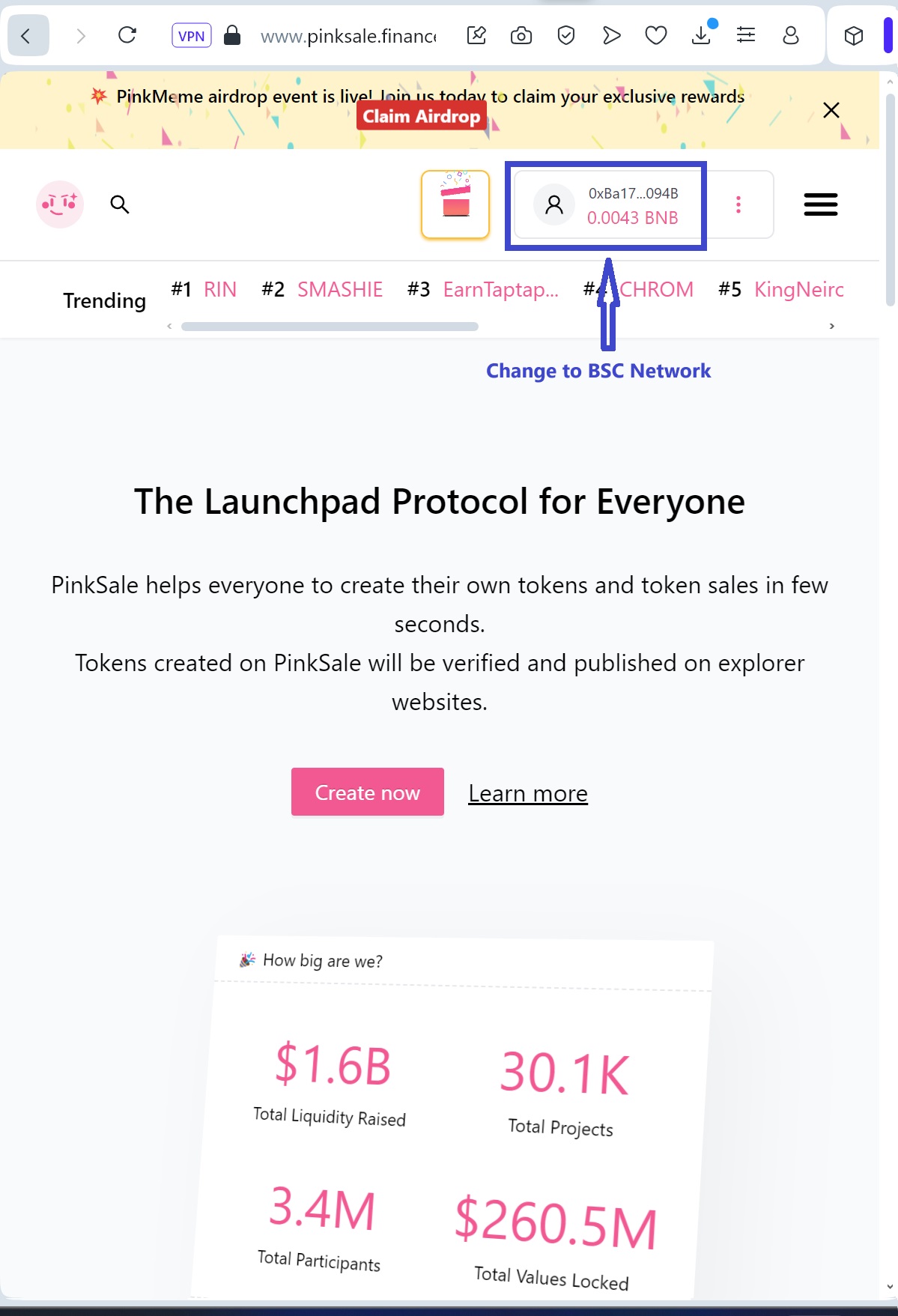
4. Select to change network
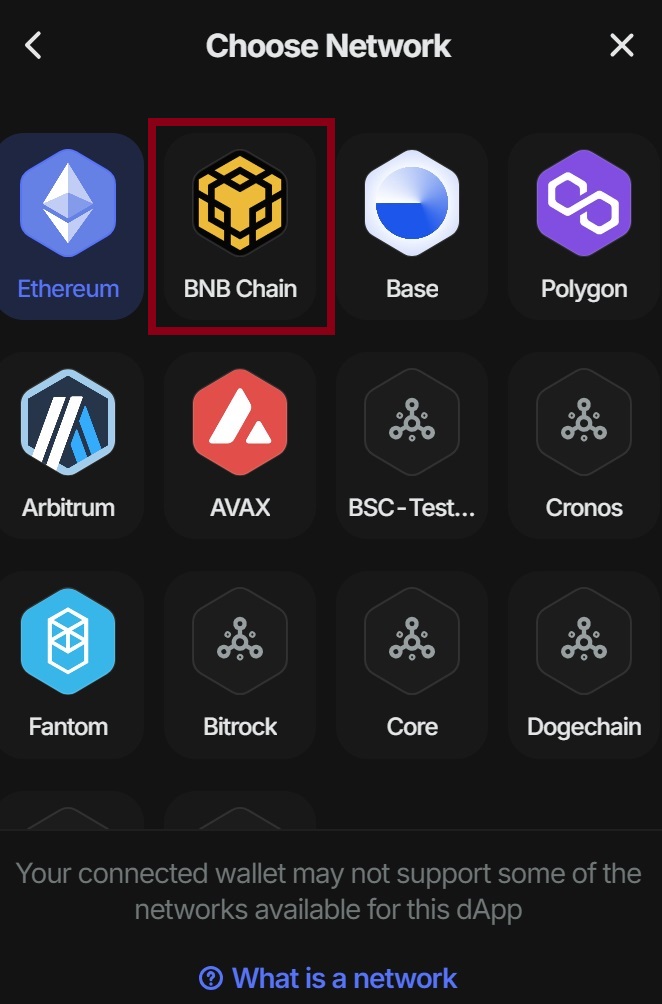
5. Change to BSC Network

6. Click Pinklock then Token
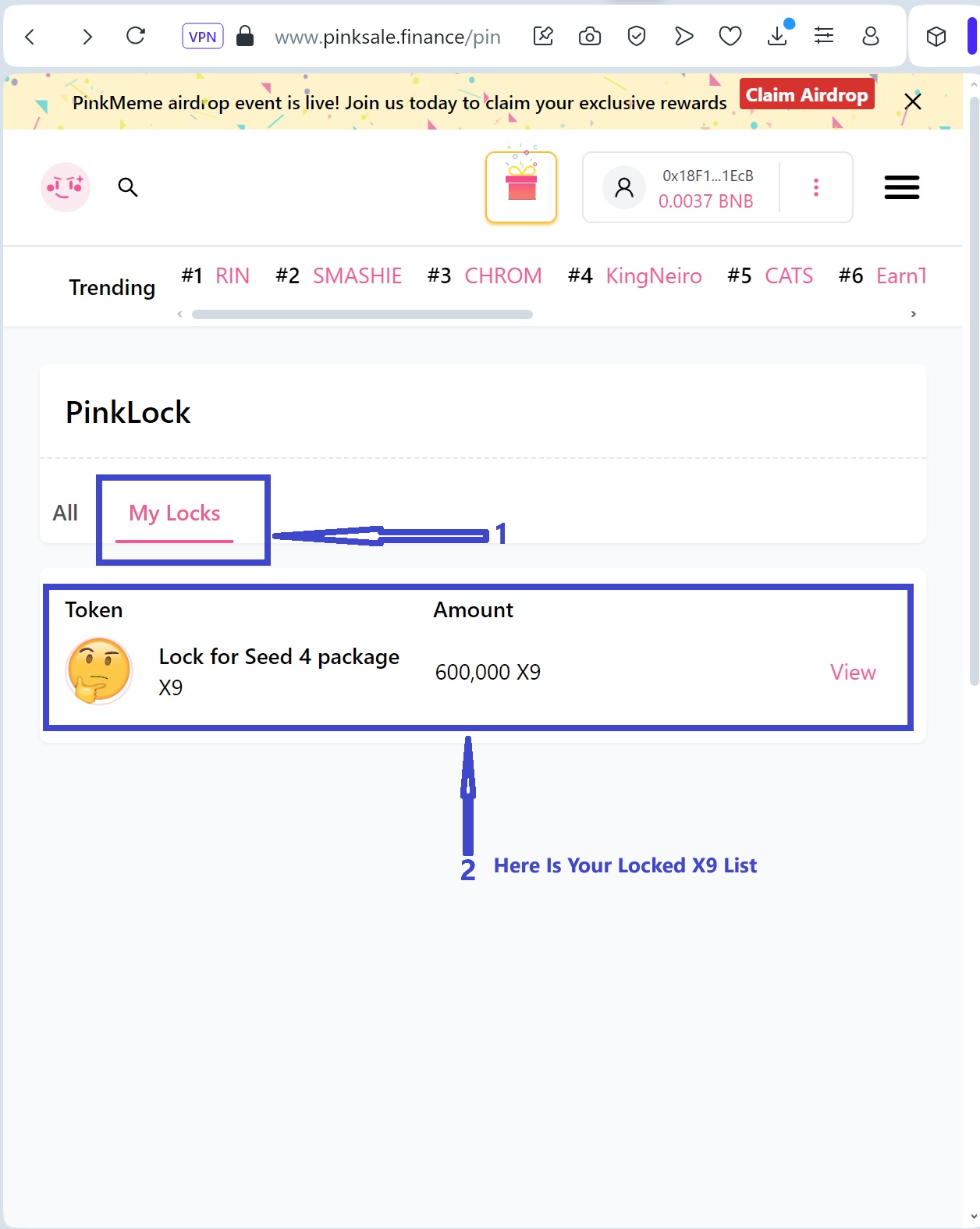
7. Click My Lock
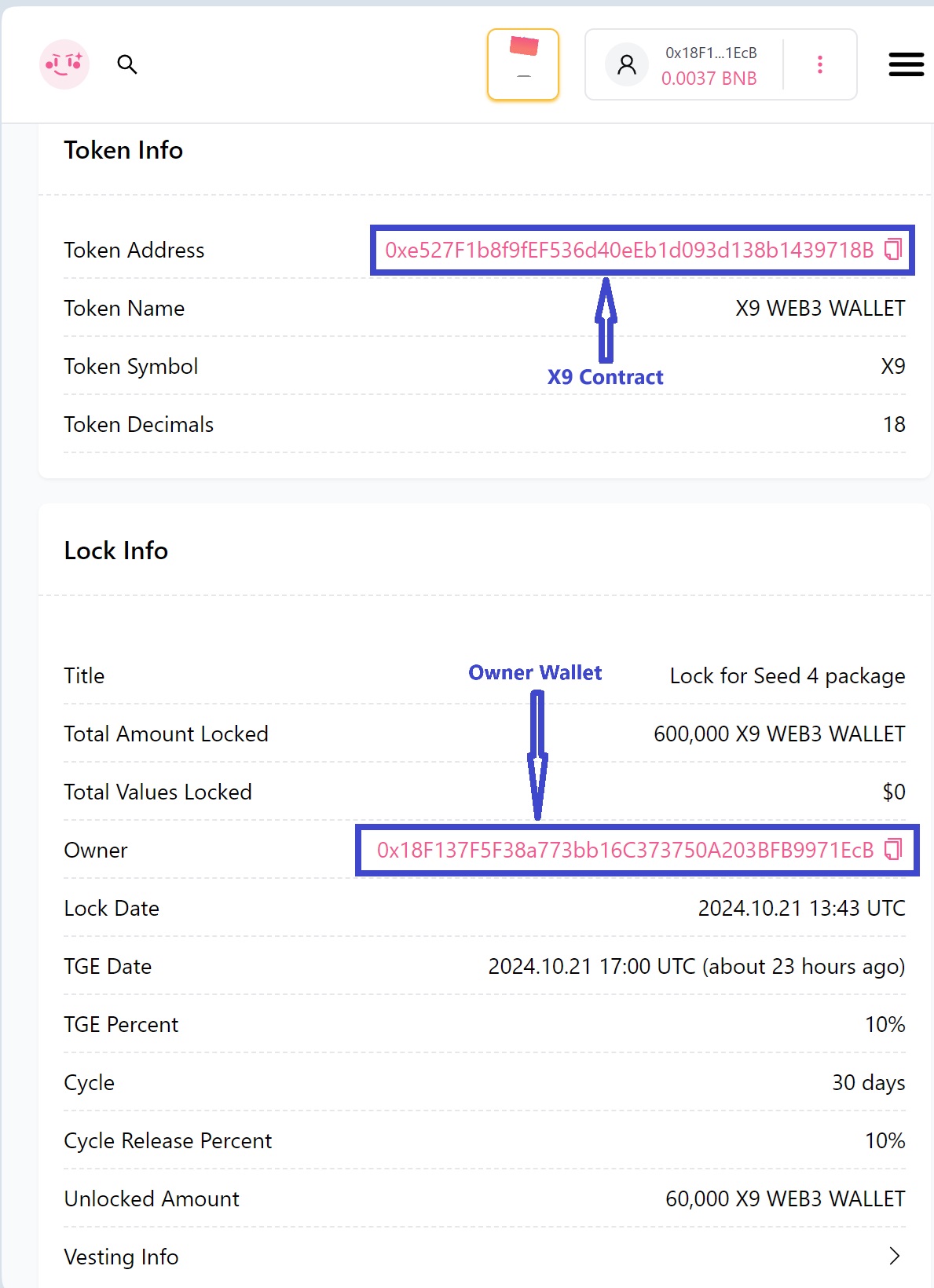
8. Token Info
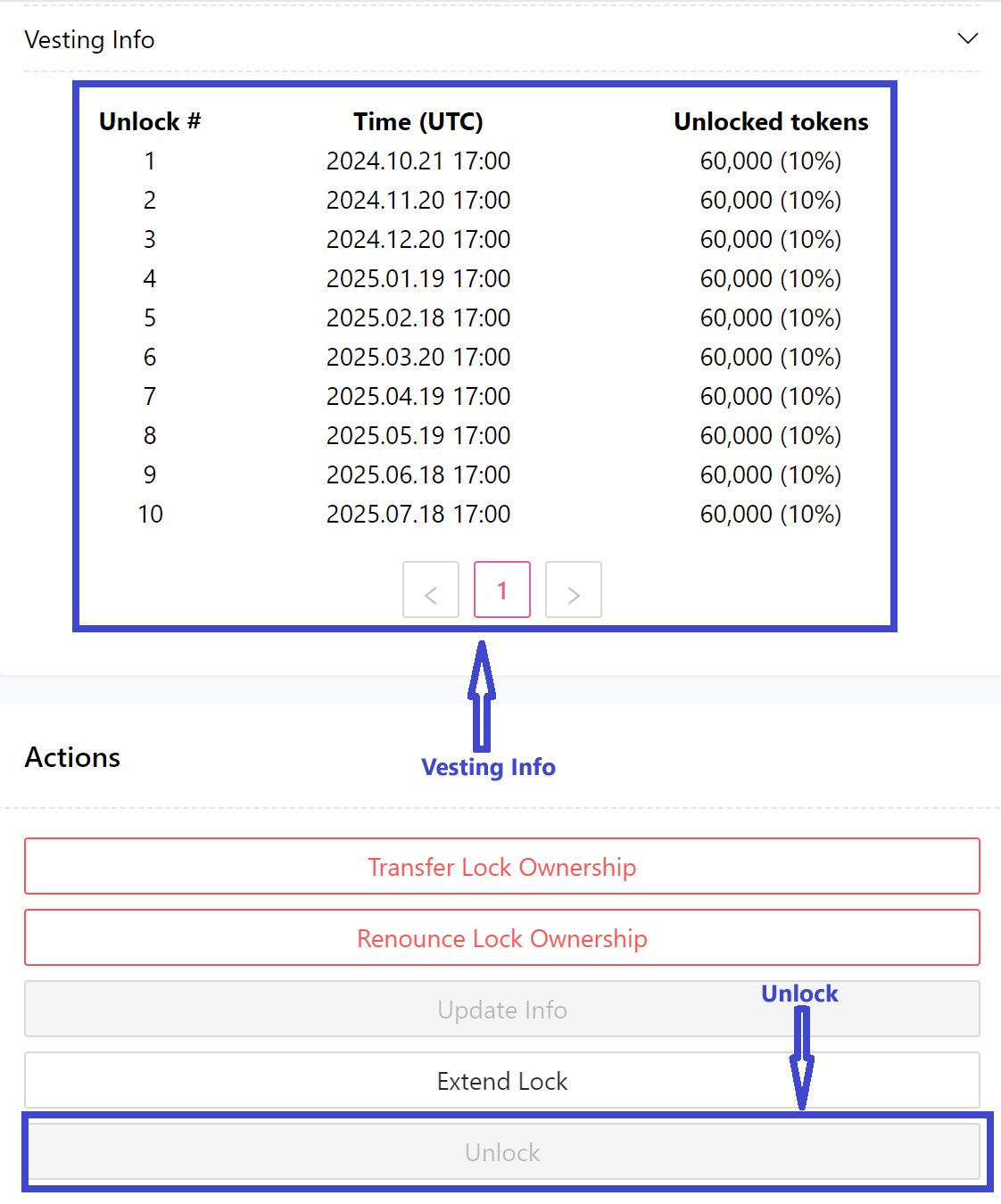
9. Click Unlock for X9 Token then confirm the transaction on the wallet
For Web3 wallets on mobile, use the Dapp feature to connect.
The method is similar to the browser on PC.
The method is similar to the browser on PC.